DocuMentor: Your Intelligent Project Brain

Too much project information — inconsistent, scattered, or missing?
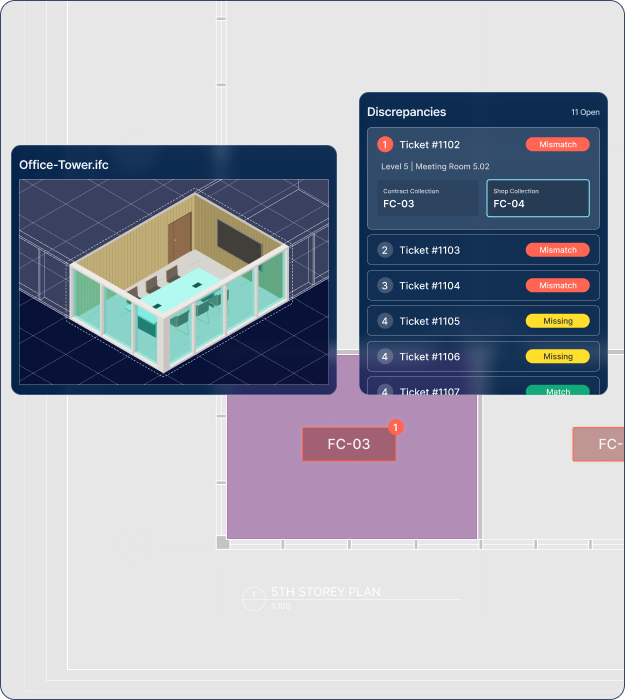
A shop drawing set lands with hundreds of pages. DocuMentor makes a first pass review, marking every tag according to project rules and specifications. You review the discrepancies and make decisions on how to resolve them.
DocuMentor not only highlights discrepancies but also tracks every tag, even the missing ones. You can audit the checks with ease so that you can sign off the drawings with confidence.
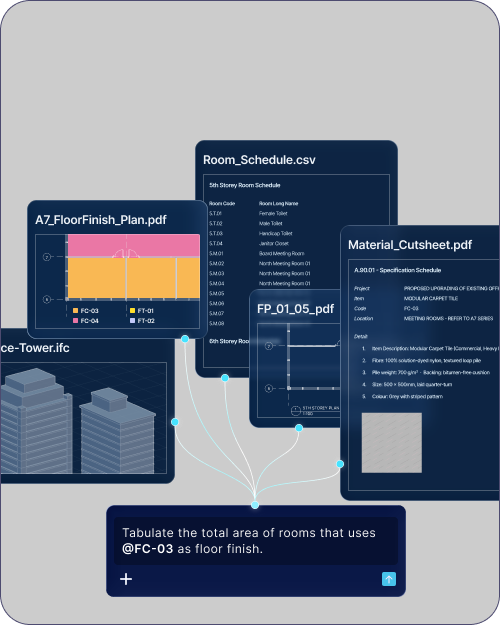
Looking to quantify the total area for a floor finish and check exactly where it applies? The information analysis that used to mean hours searching through numerous folders gets answered from the project brain, with the source references attached.
When you resolve a discrepancy, the revised information is saved as a new version of that field. Six months later you can track what was agreed and when, instead of reconstructing it from an email thread nobody kept.
One project brain with every source connected.
Built to understand your project information

DocuMentor cross-references every drawing and model automatically, saving hours of manual comparison and catching conflicts before they become a site issue.
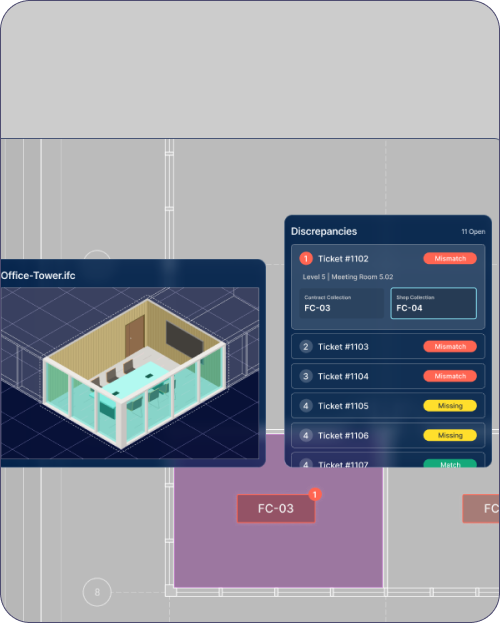

Beyond conflicts, DocuMentor flags information that should be there but isn’t, so gaps get caught in review, not discovered on site. Every comment and resolution is tracked and recorded in the project brain.
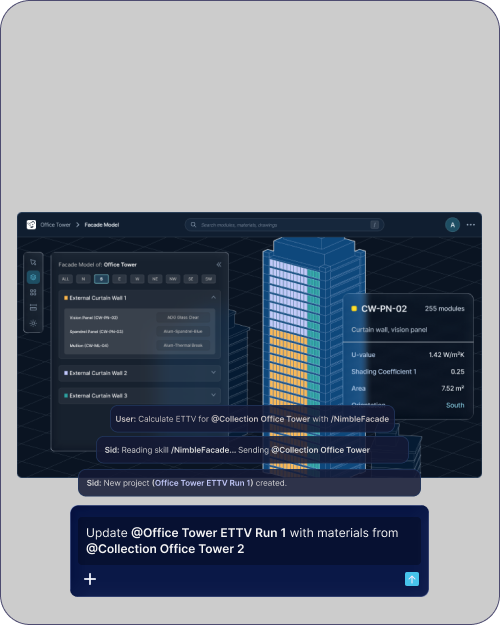

Ask about any drawing, model or cutsheet in plain language and get the answer directly from your project brain, no digging or waiting on a colleague to check.
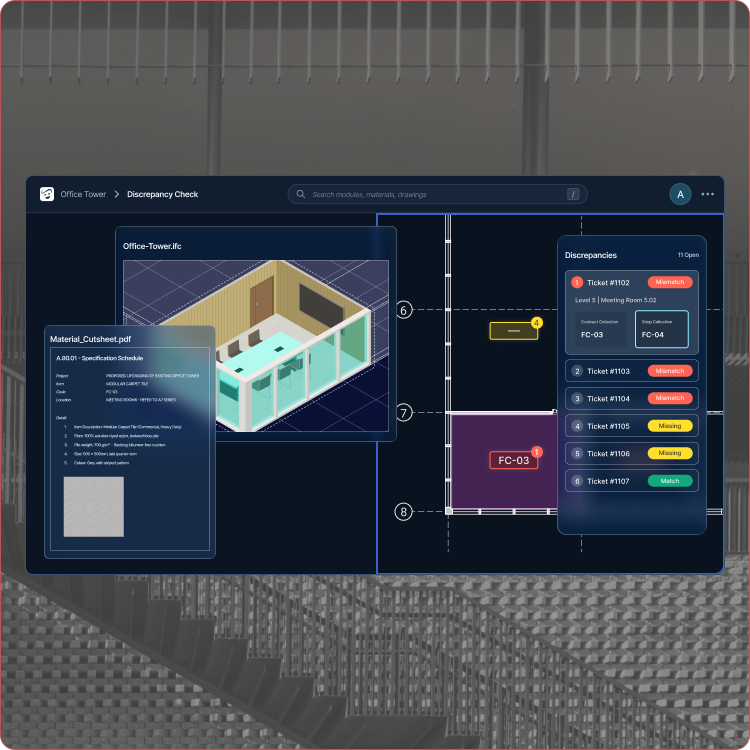
DocuMentor helps you audit every drawing, model and schedule on your project, so the gaps surface before they reach site.
Built by architects and engineers to address real challenges, DocuMentor's workflows are practical and reliable out-of-the-box.
Questions about DocuMentor
DocuMentor currently supports architectural drawing sets only. Features for structural and MEP information sets are in the development pipeline for 2027.
DocuMentor reads cut sheets, specifications, and other typical sources of project norms to automatically derive the rules it checks drawings and models against. Because it locates items by their position in the building, it can reliably compare a room's contents across drawings and documents from different authors and disciplines, regardless of format. It tracks those same items through 3D models as well.
The checking and audit workflows behind DocuMentor are designed by built-environment professionals and built for human-in-the-loop review. Every check is presented transparently, so findings stay easy to audit and easy to trust.
The interface lets you see the same data point in context across multiple windows: the 3D model, the drawing, and the cut sheet, with every source document linked.
DocuMentor is currently offered through enterprise plans tailored to your organisation and project needs. Contact us to explore the right setup for your team.
DocuMentor currently supports Industry Foundation Classes (IFC) models and PDF documents. Speak to us if you would like to discuss your project setup.
Yes. DocuMentor links findings and answers back to their supporting data sources, so the information can be reviewed and verified.
DocuMentor performs consistency checks across your uploaded project information and highlights areas needing attention. These findings inform the review, but final validation and judgement remain with your project team.
All your project data is encrypted in transit and at rest according Google Cloud security policy. Click here to refer to the NimbleFaçade data privacy terms.
DocuMentor does not have access to user project data. Only registered users may access project data.
