IFC Model to ETTV Submission

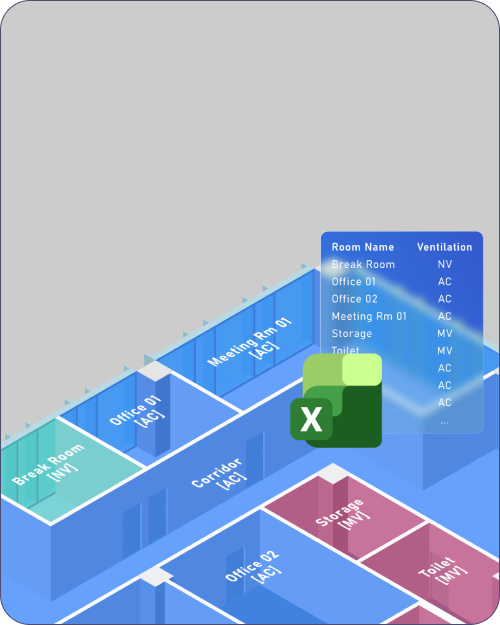
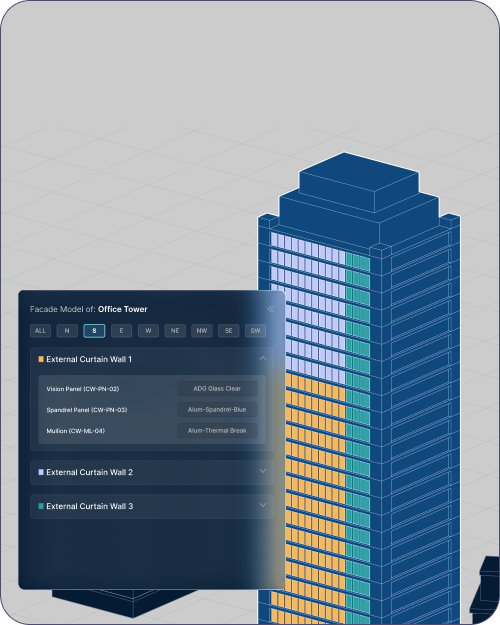
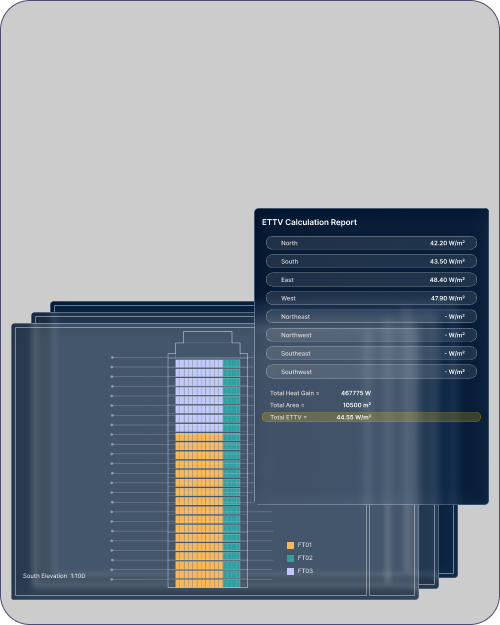
Upload the model and assign your materials, and NimbleFacade extracts every panel and mullion, runs the envelope calculation, and returns the Excel report with annotated plans and elevations.
The envelope study runs in minutes instead of weeks, early enough that the design can still change.
NimbleFaçade mark

The calculation was never the slow part
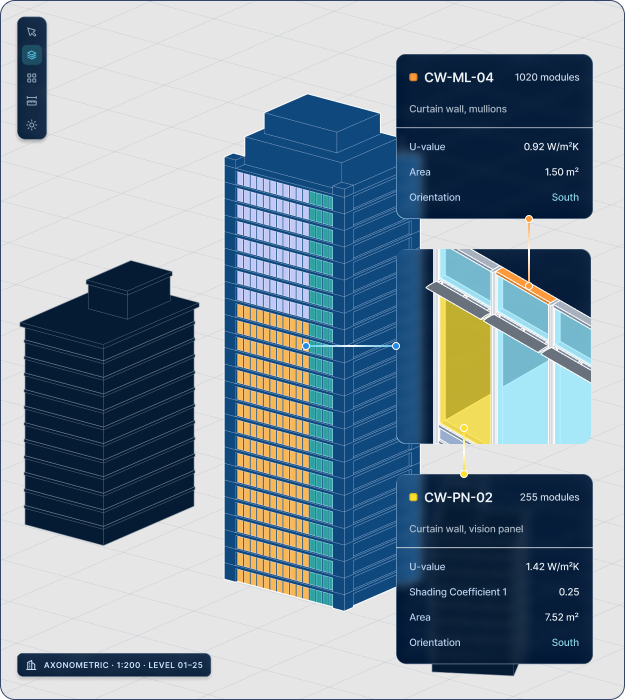
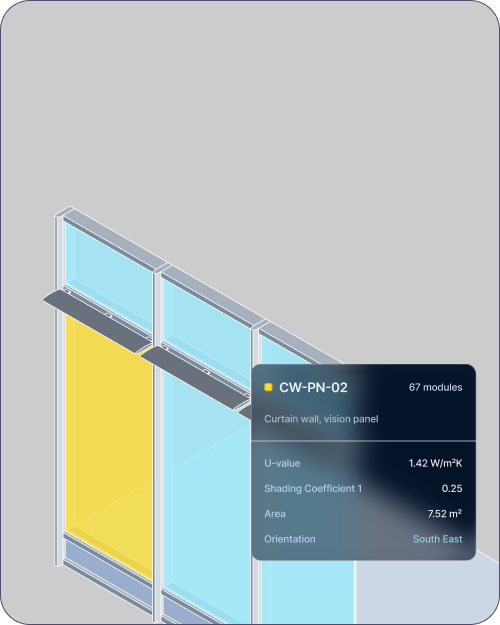
Highlighted facade panels with information extracted
What that changes
01
No measuring off elevations

Areas, orientations and component types come straight out of the IFC, so nobody is scaling off elevation drawings or retyping numbers into a spreadsheet.

02
Meet targets without over-specifying

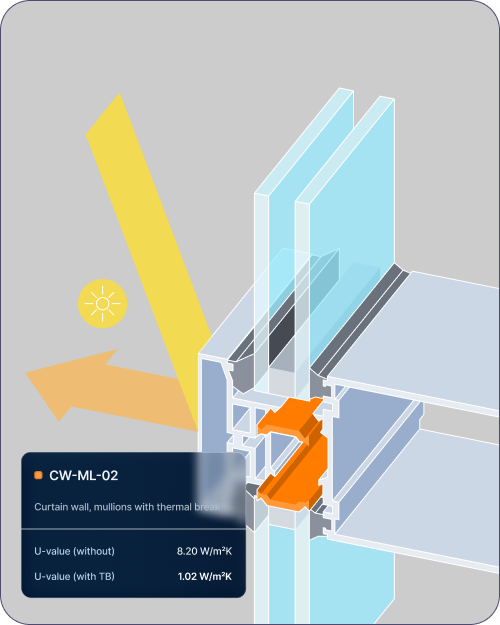
Mullions, thermal breaks and curved panels are calculated discretely instead of being simplified into a flat box, so you report the ETTV result without an excessive margin in the glazing spec.

03
The whole submission package

One export gives you the Excel ETTV report plus annotated plan and elevation PDFs, so the drawing mark-up that used to be its own job is already done.

04
Sign it without doubt

Every result traces back to the instances behind it and the shadow view shows what's shading each panel, which matters when the calculation goes out under your licence.

The problem

Turn your model into an ETTV report.

NimbleFaçade computing ETTV across a building envelope
https://www.youtube.com/embed/ScMzIvxBSi4
Features

What NimbleFaçade computes for you

ETTV per orientation, with every facade module carrying a value.
Architects
Architects hold the design intent and the compliance risk at the same time. Sid gives them one checkable source for both.
Contractors
Contractors inherit whatever the design team hands over. Sid makes the gaps visible before they turn into variations.
Project managers
Project managers carry the programme. Sid turns scattered project data into something they can actually track.
Engineers
Engineers have to prove performance. Sid runs the analysis continuously instead of once at the end.
Developers
Developers absorb the cost of every late change. Sid shortens the loop between design and certainty.
NimbleFaçade
NimbleFaçade computing ETTV across a building envelope

NimbleFaçade turns your BIM model into a submission-ready ETTV report, so proving your facade meets code stops being a manual job.

300+
ETTV computed per orientation

Every facade module carries a value, not just the building as a whole.

100+
One assembly library across studies

Options tested before they are drawn, against the same set of assemblies.

50+
Submission-ready packs, generated

Output formatted for submission, so the paperwork stops eating the design time.

In practice

“NimbleFacade delivered reliable ETTV submission data within a tight turnaround, helping our engineers stay on track.”

Er. Leslie Khuan
Director, DP Engineer
1
/
3
FAQ

Questions about NimbleFaçade

Which modules are available today?

Two modules are live today, and they share one index of your project data:

  1. NimbleFaçade, for ETTV reporting and envelope compliance.
  2. DocuMentor, for automated audits across document sets.
  3. Both read the files your team already produces.
  4. Further modules build on the same data layer.

You can start with one and add the other without re-indexing anything.

setup
How does Sid fit our existing BIM workflow?

Sid reads the model and document set you already produce. There is no migration:

  1. Point Sid at a collection and it indexes the files.
  2. It runs the audits you choose.
  3. Results trace back to the source document.
  4. Your data stays in your environment.

Nothing about how your team models or documents has to change.

workflow
How long does an ETTV submission take?

Work that used to take a fortnight of someone's time now runs in an afternoon:

  1. ETTV computed per orientation.
  2. Every facade module carries a value.
  3. One assembly library across studies.
  4. Output formatted ready for submission.

The time saved goes back into the design rather than the paperwork.

compliance
Who owns the project data?

You do. Sid processes your project data, it does not acquire it:

  1. Files stay inside your environment.
  2. Nothing is used to train shared models.
  3. Access follows your existing permissions.
  4. Results are exportable at any time.

If you stop using Sid, your data and your outputs remain yours.

data
How long does setup take?

Placeholder answer. Most teams are running their first audit inside a day, because Sid indexes the files where they already sit.

setup
Do we need to change how we model?

Placeholder answer. No. Sid reads the model and document set your team already produces.

workflow
Which codes does Sid check against?

Placeholder answer. Envelope compliance is computed to the code set for the project market.

compliance
Where is our data stored?

Placeholder answer. Inside your own environment. Sid processes your project data, it does not take custody of it.

data
How is Sid priced?

Placeholder answer. Pricing is per project, and scales with the number of modules you run.

pricing
Is there a trial?

Placeholder answer. Yes. We run a pilot on one of your live projects before any commitment.

pricing
DocuMentor auditing a set of construction documents
https://www.youtube.com/embed/ScMzIvxBSi4

DocuMentor

Execute automated audits across fragmented construction datasets. Resolve the information blackhole before it reaches site.

  • Revision compared against revision
  • Ask in words, get a table
  • Every answer cites its source file
  • Findings with an owner and a date